AI Chat Export Solved. Maybe.
Look, we all use these AI chatbots for work. Coding, writing, research – it’s becoming second nature. But when it comes time to actually save that brilliant interaction, to turn that spark of AI genius into something tangible and shareable, it’s a disaster. Copy-paste. The eternal enemy of formatted text. Code blocks mangle. Tables collapse. Headings vanish. It’s a digital junkyard, and it drives anyone who values sanity absolutely bonkers.
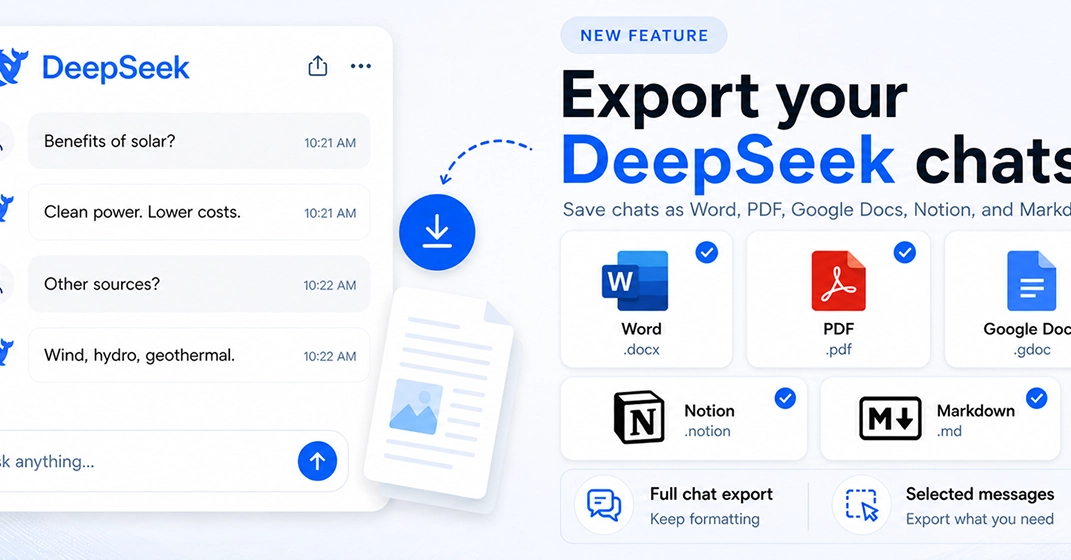
And that’s precisely the pain point a new Chrome extension, DeepSeek Exporter, claims to address. The premise is simple, almost laughably so: one click, and your DeepSeek conversations become usable documents. Word, PDF, Google Docs, Markdown, and even Notion. All in one go. No more Ctrl+C, Ctrl+V, followed by hours of cleanup.
The Promise: Formatting Nirvana
This isn’t just about dumping text. The developer, clearly someone who’s also suffered the indignities of bad AI exports, focused on preserving what matters. Code blocks – the lifeblood of any developer’s AI interaction – are a priority. Tables, headings, lists. The usual suspects that get brutally mangled in a basic copy-paste operation. This tool aims to keep them intact, making them useful for immediate integration into other platforms. Think GitHub READMEs, Obsidian notes, or even a direct push into a Notion database for knowledge management.
Why would anyone build this? Because the current workflow sucks. The author states it plainly: they wanted a faster way to save AI conversations without the usual formatting mess and manual drudgery. It’s a sentiment many heavy AI users will undoubtedly echo. The call for feedback is open, suggesting a desire to iterate and add more integrations or formats based on user needs.
Why Does This Matter for Developers?
For developers, the value proposition is clear. Imagine debugging an issue with an AI, and instead of a jumbled mess, you get a clean, exportable log of the interaction. This isn’t just about prettiness; it’s about efficiency. It’s about being able to quickly reference a code snippet generated by the AI, or a set of instructions, and integrate it directly into your project’s documentation or a bug report. The ability to push directly to Notion is particularly interesting for building personal knowledge bases or project-specific AI interaction archives.
But let’s not get ahead of ourselves. The challenges in building such a tool are, frankly, significant. Preserving Markdown formatting accurately, especially with nested structures or complex tables, is no small feat. Ensuring consistency across PDF, Word, and Docs – formats that have their own quirks and rendering engines – sounds like a descent into madness. The author acknowledges these hurdles, which lends a bit of credibility to the claims. It’s not just a simple wrapper; there’s real engineering involved here.
The Skeptic’s Corner
Now, here’s where we put on the skeptic’s hat. How well does it preserve formatting? “One click” is a beautiful marketing phrase, but the reality of AI output is chaos. Will it handle edge cases? What about unusual character sets? Will the Notion export actually create a structured database, or just dump a wall of text into a single field? These are the questions that separate a useful tool from a glorified copy-paste utility. The initial claim is bold, and frankly, the execution will be everything.
There’s also the question of DeepSeek’s own API or export capabilities. If DeepSeek itself provided a strong export function, this extension might be redundant. But the fact that it’s needed suggests that either DeepSeek’s native export is lacking, or the author found a way to do it better, more broadly across multiple target formats.
Ultimately, this is a problem many of us have grappled with. The promise of a clean, one-click export is enticing. If DeepSeek Exporter delivers on its core features without introducing new headaches, it could become an indispensable part of the AI user’s toolkit. The real test, as always, will be in the day-to-day usage, the corner cases, and whether it truly saves time or just replaces one form of frustration with another.
KEY TAKEAWAYS
- A new Chrome extension, DeepSeek Exporter, aims to simplify exporting DeepSeek AI chats.
- It promises one-click conversion to formats like Word, PDF, Markdown, and Notion.
- Preserving formatting, especially code blocks and tables, is a key focus.
Frequent Questions