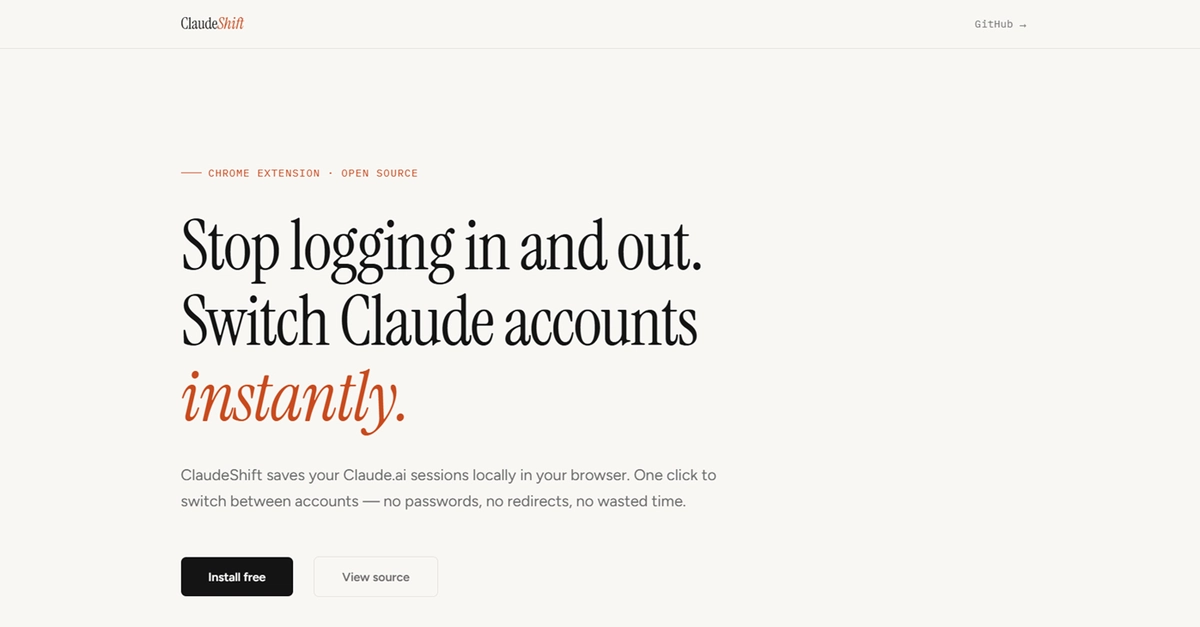
Here’s a stat that’ll make any power user of AI assistants pause: If you’re juggling more than one account on a platform like Claude.ai, you might be losing upwards of 20 hours per year simply logging in and out. That’s not an exaggeration; that’s the math from the trenches of daily AI interaction, and it’s the core problem this new open-source Chrome extension, ClaudeShift, aims to obliterate.
For those of us living in the AI-assisted future, hopping between a work research account and a personal project sandbox on Claude.ai shouldn’t involve a ritualistic dance of logouts, redirects, and password re-entries. Yet, for countless users, that’s precisely the daily grind. The original developer, fed up with this inefficiency, essentially said “enough is enough” and built ClaudeShift. It’s a stark reminder that even bleeding-edge tech platforms can be hampered by the most mundane UX friction.
The underlying architecture here is, frankly, elegant in its simplicity, leaning on fundamental browser mechanics rather than complex abstractions. At its heart, ClaudeShift manipulates session cookies. Think of cookies as digital breadcrumbs your browser leaves behind, proving to a website that you’ve already authenticated. ClaudeShift’s genius lies in its ability to scoop up these breadcrumbs for one Claude account, store them safely in your browser’s local storage, and then swap them out for another account’s set when you need to switch.
This isn’t some black-box magic; it’s a direct application of the Chrome Cookies API and chrome.storage.local. The extension reads the cookies associated with claude.ai, attaches a profile name (your account identifier), and saves them. When you trigger a switch, it first politely clears out the current claude.ai cookies and then injects the saved ones for your chosen profile. A quick tab refresh, and bam – you’re in the other account, all in under a second. It’s a beautiful piece of engineering that feels impossibly fast because it bypasses the entire authentication handshake.
The Hidden Labyrinth of Manifest V3
But building even this seemingly straightforward tool isn’t without its dragons. The developer ran headfirst into the complexities introduced by Chrome’s Manifest V3. This isn’t just a minor tweak; it’s a fundamental shift in how Chrome extensions operate, moving away from persistent background pages to more ephemeral service workers. Service workers are great for conserving resources, but they have a nasty habit of going dormant, taking any in-memory state with them. This meant the developer had to meticulously move all session state to chrome.storage.local so it would survive the worker’s naps. It’s a perfect illustration of how platform evolution, even with good intentions, can introduce significant, often invisible, development hurdles.
And then there are the cookies themselves. They’re finicky beasts. Attributes like domain, path, and sameSite aren’t just suggestions; they’re gospel. Get one wrong during restoration, and Claude.ai simply won’t recognize your session. The developer recounts a particularly maddening afternoon debugging a restore that looked right but failed silently, only to discover a subtle serialization issue that had mangled the sameSite attribute. It’s a humbling reminder that often, the devil isn’t in the high-level logic but in the granular details of API contracts.
Why This Matters for the Open Source Ecosystem
What struck me most about this project wasn’t just its utility – though it’s undeniably high – but its demonstration of the power of focused, pragmatic open-source development. ClaudeShift isn’t trying to be the next big AI platform; it’s solving a specific, tangible pain point for a subset of users. It’s built with vanilla JavaScript, no frameworks, no build tools – a refreshing throwback in an era of bloated development stacks. The entire bundle size is negligible. This is open source at its purest: identifying a need, building a direct solution, and offering it freely.
This approach resonates deeply. While massive corporations pour billions into grand AI visions, a single developer, leveraging basic browser APIs, can create something immediately impactful. It highlights a crucial architectural truth: often, the most significant efficiency gains come not from inventing new paradigms, but from perfectly optimizing existing workflows. ClaudeShift is a tiny, but potent, manifesto for this philosophy.
“The fix was obvious once I thought about it: Claude.ai uses session cookies to keep you logged in. If I could save those cookies for each account and restore them on demand, switching would be instant.”
The developer also offers some hard-won wisdom for aspiring extension builders: start with the edge cases, test with real accounts from day one, and design the UI last. It’s advice that sounds simple but is frequently ignored in the rush to create something visually appealing. The fact that this extension handles tricky scenarios like adding a second account by discreetly using an incognito window speaks to this meticulous approach. It’s not just about the happy path; it’s about a strong, almost invisible, user experience.
For anyone frustrated by the constant login churn on Claude.ai, this extension is a no-brainer. It’s free, open-source, and its technical underpinnings are a masterclass in browser extension development. It’s a proof to how smart, focused engineering can cut through the noise and deliver real value.
🧬 Related Insights
- Read more: Uint8Arrays Supercharge Conway’s Game of Life in Vanilla JS—Here’s Why It Matters for Web Devs
- Read more: [Tutorial Breakdown] Voice AI Agent: Groq + FastAPI Hits 100x Speed
Frequently Asked Questions
What does ClaudeShift actually do? ClaudeShift is a free, open-source Chrome extension that allows you to save your Claude.ai login sessions and switch between them with a single click. It achieves this by managing your session cookies, eliminating the need to log in and out repeatedly.
Is this extension safe to use?
Yes, ClaudeShift is designed with security in mind. It stores your session cookies locally within your browser using chrome.storage.local. None of your login data leaves your browser, and the code is open-source for anyone to inspect.
Will ClaudeShift work with other AI websites? ClaudeShift is specifically built for Claude.ai due to its method of handling session cookies and website domain. It’s not designed to work universally across all AI websites, as each platform may use different authentication mechanisms.