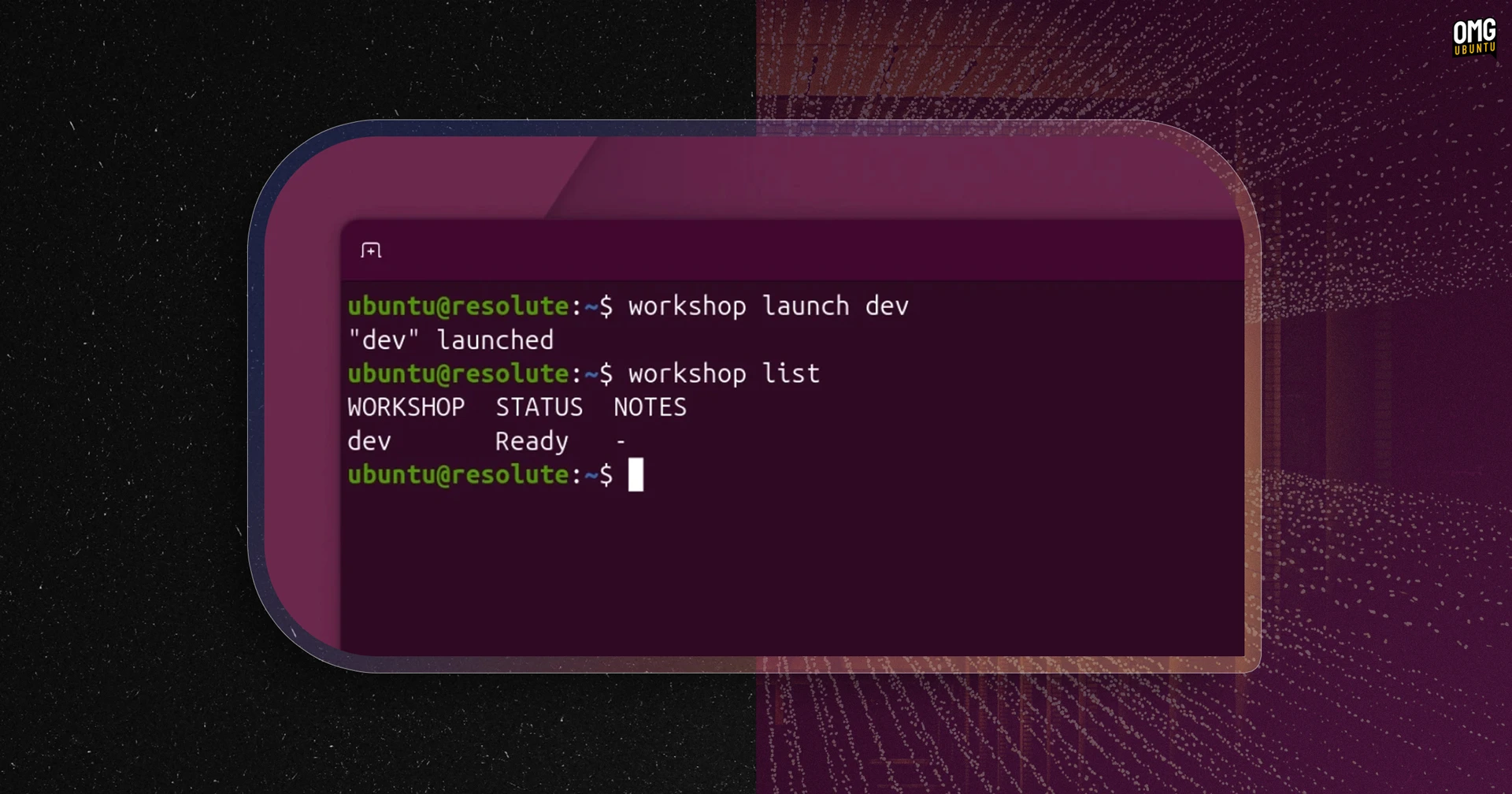
The command flickers, a promise of isolation rendered in LXD. Suddenly, you’re not just running code; you’re managing an entire miniature operating system, tailored precisely for the task at hand. This is Canonical’s Workshop, and it’s attempting to cut through the Gordian knot of modern development environments.
Look, we’ve all been there. The dreaded “it works on my machine” syndrome, the hours spent wrestling with dependencies, the gnawing uncertainty that the production environment will behave exactly as the staging one did. Canonical’s Workshop, released as a snap package, pitches a solution: self-contained dev environments spun up from a single YAML configuration file.
It’s an elegant concept, really. Define your SDKs, your languages, your frameworks, your tools – all in one place, versioned alongside your code. The promise is that this definition file, this blueprint for your digital workshop, can be replicated across different machines, different teams, different hardware setups, without the usual attendant chaos. This kind of environmental fidelity is, frankly, long overdue.
The SDK Store: A Curated Foundry
At the heart of Workshop lies the SDK Store, a repository of ready-made development kits. Think of it as a specialized marketplace for the building blocks of your dev world. Unlike the sprawling, often unpredictable nature of some package managers, these SDKs are versioned and channel-specific, much like the Snap Store itself. You can pin these versions, ensuring that your environment remains a static, predictable entity, thus tackling that perennial demon: configuration drift.
Canonical’s initial offering includes SDKs for some heavy hitters in the AI and ML space: Ollama, NVIDIA CUDA, and AMD ROCm. But the real power, the journalist in me thinks, lies in the ability for teams to craft and define their own project-specific SDKs, keeping them neatly tucked away in the .workshop/ folder. This brings the environment definition right into the project’s codebase, making it discoverable, manageable, and—crucially—versionable with Git.
Isolation: The Unprivileged Imperative
Now, this is where things get interesting. Canonical is keenly aware of the overlaps with established tools like Dev Containers, Nix shells, and Distrobox. But Workshop’s differentiator, its core architectural decision, is a stringent focus on environment isolation. It’s not just about packaging; it’s about creating a secure, controlled sandbox. This is achieved through unprivileged LXD system containers, each sporting its own kernel, entirely separate from the host system.
This isn’t the lightweight isolation you might get from some container runtimes. LXD containers, especially when unprivileged, offer a deeper level of separation. The interface system, modeled on snapd’s approach, meticulously manages access to host resources. Need GPU access? SSH agent forwarding? It’s not an implicit grant; it’s an explicit permission. This granular control is the bedrock of Workshop’s appeal, particularly in the context of running AI agents.
“Ease of use for developers shouldn’t mean ease of access for AI agents”
This quote from Dmitry Lyfar, Engineering Manager at Canonical, hits the nail on the head. The narrative Canonical is pushing is one of developer enablement without compromising security. By defaulting to non-privileged configurations, they’re effectively constraining the potential capabilities of any workload running within a Workshop environment. This is a subtle but critical distinction, especially as AI agents become more sophisticated and, frankly, more potentially intrusive.
The AI Agent Conundrum: Security Through Containment?
It’s this sandbox control model that is central to Workshop’s pitch, especially for those venturing into the burgeoning world of AI agents. The lines between development environments and production AI deployments are blurring. Tools that can easily spin up complex, resource-intensive environments are attractive, but the security implications are enormous. Imagine an AI agent, inadvertently or maliciously, gaining unfettered access to your host system’s credentials or sensitive data. That’s a nightmare scenario, and Canonical seems to be betting that Workshop’s strict isolation will act as a potent bulwark.
The implications here are substantial for any organization grappling with the dual challenges of fostering rapid development and maintaining a strong security posture. By making secure, isolated environments the default, Workshop could, in theory, lower the barrier to entry for complex AI workloads while simultaneously mitigating significant security risks.
The Road Ahead: Integration and Adoption
Workshop requires LXD 6.8 or later, and the tool itself is installed as a snap. The documentation, as is often the case with Canonical products, is expected to be thorough. The success of Workshop will ultimately hinge on its adoption by development teams and its ability to smoothly integrate into existing workflows. While the promise of YAML-defined, reproducible, and secure environments is compelling, the proof will be in the pudding – or rather, in the successful deployment of countless development projects.
Does it replace Dev Containers or Nix? Not entirely, perhaps. But it offers a distinct, security-first approach to environment management that, particularly for AI-centric development, could prove to be a significant step forward. It’s an attempt to architect a safer, more controlled digital workshop for the modern developer.