How I Accidentally Committed My Entire 2FA Database to Git—And Why Your .gitignore Isn't Protecting You
A homelab operator built something beautiful for two years. Then a single `git add .` command destroyed it. Here's what went wrong—and how you're probably vulnerable too.
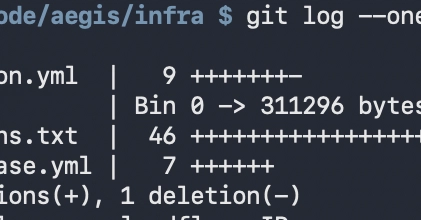
⚡ Key Takeaways
- .gitignore only works from the repository root—cd'ing into a subdirectory bypasses it completely, making it an unreliable security mechanism 𝕏
- Credential leaks in Git history are permanent and discoverable; a five-second pause or post-hoc deletion of files doesn't remove them from the commit log 𝕏
- Real protection requires infrastructure: use secret management systems like Vault or CI/CD secrets, not just file exclusion rules 𝕏
Worth sharing?
Get the best Open Source stories of the week in your inbox — no noise, no spam.
Originally reported by Dev.to
Related Stories

Security & Privacy
Anthropic's One-Line Fumble Leaks Billions in Code

Security & Privacy
Citrix NetScaler CVE-2026-3055: Memory Leak, Active Exploits, and Why Citrix's Disclosure Fell Short

Security & Privacy
9 AppArmor Bugs Hidden for 9 Years Let Attackers Escape Containers and Seize Root—12.6M Linux Systems at Risk

Security & Privacy