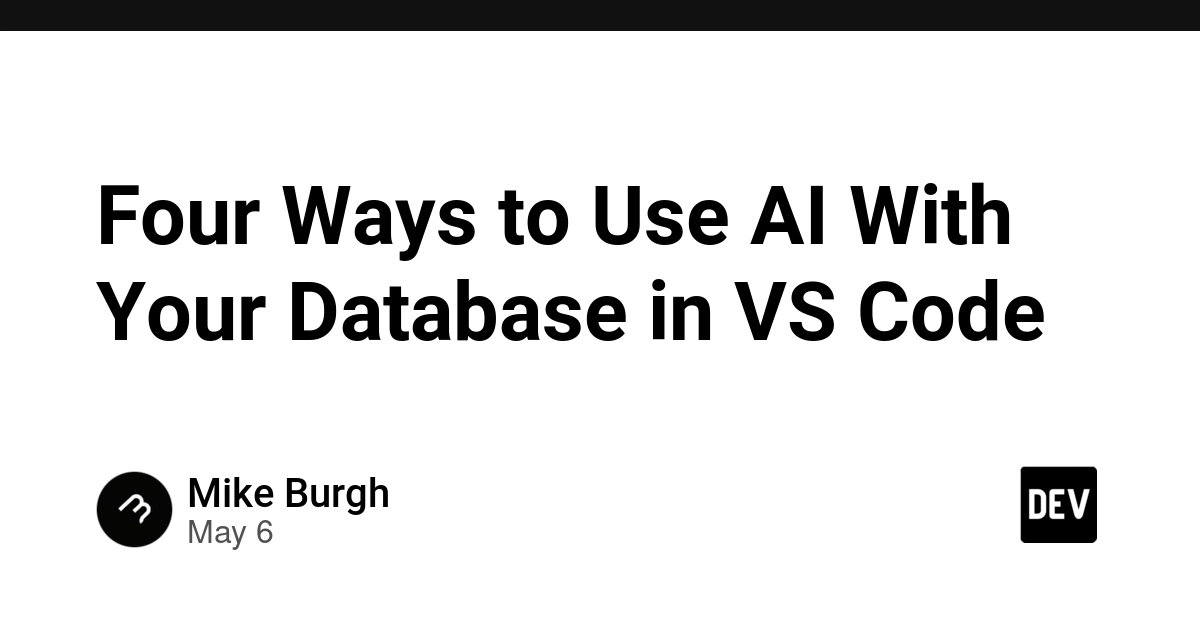
Could your database queries be written in plain English? It’s not sci-fi anymore. We’re talking about a fundamental platform shift, akin to the jump from command-line interfaces to graphical user interfaces, but for data manipulation. And it’s happening inside your IDE, thanks to tools like DBCode.
This isn’t just another plugin; it’s an AI assistant for your data. Imagine an orchestra conductor, except instead of musical instruments, they’re directing tables, columns, and filters, all responding to your spoken (or typed) commands. DBCode is building that conductor’s podium directly into VS Code.
Talking to Your Data: The Natural Language Interface
Here’s the real magic: the query builder. You open it up, and at the very top, there’s an input box. Instead of cryptic SQL, you type something like: “Show me all customers with orders over $100 in the last 30 days.” And just like that, DBCode dives into your database schema, understands your request, and visually constructs the query for you. Tables snap into place, joins appear, filters are set, and the SQL preview updates in real-time. Made a mistake? Ctrl+Z. It’s that fluid. This is AI as a translator, bridging the gap between human intent and machine instruction.
And it’s not just for new queries. You can modify existing ones with similar natural language commands: “Add a date filter for last month” or even “Change to LEFT JOIN.” No Copilot needed for this; DBCode’s own AI is handling the heavy lifting. It’s like having a brilliant junior developer who’s already intimately familiar with your database schema, ready to help.
AI-Powered Autocomplete, Smarter Than Ever
Beyond the fancy query builder, DBCode sprinkles AI-powered intelligence throughout your .sql files and notebook cells. Start typing, and you’re not just getting keyword suggestions; you’re getting intelligent, schema-aware code completion. Gray text whispers suggestions, and a simple Tab accepts them. This is where the familiarity of traditional IDEs meets the predictive power of advanced AI.
But it gets even more interesting. You can write a plain English comment in SQL—like -- find all users with last name "Smith"—and DBCode will generate the SQL query directly below it. It’s reading your mind, or at least, your schema. The synergy here is incredible, especially when you consider it works alongside GitHub Copilot if you have it, or falls back to DBCode’s hosted model. It’s about providing intelligence wherever you are in your coding journey.
The AI Assist Panel: Post-Query Superpowers
Once you’ve run a query, the journey isn’t over. Open the AI Assist panel, and a whole new universe of data manipulation unlocks. Need to sort by revenue descending? Type it. Want to group by country? Done. How about charting it as a bar chart? Easy. Hide the ID column? Just ask.
The AI Assist panel is your post-processing playground. It handles filtering, sorting, grouping, aggregation, pivoting, column visibility, and even basic chart creation, all through natural language commands. And the updates are instantaneous. This is AI not just for writing code, but for interacting with your data and its results. It’s like having a data analyst at your fingertips, ready to slice and dice information on demand.
“The grid updates instantly. This controls filtering, sorting, grouping, aggregation, pivoting, column visibility, and chart creation.”
Crucially, DBCode emphasizes that only column names and types are sent to the AI, never your actual sensitive data. This is a critical point for any organization handling confidential information. Privacy and security remain paramount, even as AI integration deepens.
The Underlying Engine: DBCode’s MCP Server
What makes all this possible? It’s DBCode’s MCP (Managed Compute Platform) server. This component acts as a sophisticated intermediary, allowing AI clients like Cursor, Claude Desktop, and Windsurf to interact directly with your databases. You start it from the VS Code command palette with DBCode: MCP Start Server, and suddenly, your databases are exposed to AI clients in a controlled, discoverable way.
This server handles connection discovery, schema reading, query execution, and result interpretation. The workflow is straightforward: ask the AI to read the schema, then start asking your questions. For authentication, it supports OAuth or simpler, no-auth setups for trusted local environments. This underlying infrastructure is what truly elevates DBCode from a simple VS Code extension to a foundational piece of an AI-augmented data workflow.
Why This Matters for the Open Source Database Ecosystem
This move by DBCode is more than just a slick feature. It’s a signal that AI is no longer an add-on; it’s becoming an inherent part of the development platform. For open-source databases, this means the barrier to entry for complex data analysis is dramatically lowered. Developers can interact with PostgreSQL, MySQL, SQLite, or any other database with unprecedented ease, fostering wider adoption and deeper engagement. It’s like giving everyone a universal key to unlock the secrets hidden within their data, without needing a locksmith’s degree.
This trend also underscores the growing importance of developer experience. When tools abstract away complexity and enhance productivity, they become indispensable. DBCode is betting that developers will flock to environments where interacting with data is as natural and effortless as writing code.
This is the future. It’s a future where your IDE isn’t just a place to write code, but a command center for all your digital endeavors, with AI as your co-pilot, navigator, and analyst, all rolled into one.
🧬 Related Insights
- Read more: SafeText: The Flutter Profanity Filter That Just Got Multilingual Muscle and Needs Your Help
- Read more: [Claude Admits It]: Quality Complaints Surge 3.5x in 2026
Frequently Asked Questions
What does DBCode’s AI actually do? DBCode’s AI acts as an assistant for database interactions within VS Code. It can generate SQL queries from natural language, provide intelligent code completions, modify existing queries, and help analyze query results through features like sorting, grouping, and charting, all via plain English commands. Only schema information, not actual data, is sent to the AI for processing.
Will this replace database administrators or data analysts? It’s more likely to augment their roles than replace them. DBCode can automate many tedious, repetitive tasks, allowing DBAs and analysts to focus on higher-level strategy, complex problem-solving, and deeper insights. For developers, it democratizes data access and analysis.
Is my data safe when using DBCode’s AI features? DBCode emphasizes that only column names and types are sent to the AI for processing, not the actual data within your database. This approach is designed to protect sensitive information while still allowing the AI to understand your schema and generate relevant queries or analysis.