For years, shipping a desktop application meant more than just a compiled binary. Users, bless their predictable hearts, expect a proper installer. They want that clean, satisfying uninstall option. They want the promise of easy updates. For a while there, especially with the rise of cross-platform toolkits, this felt like a fuzzy, unsolved problem. We’ve been cobbling things together, often with duct tape and prayer.
But here’s the thing: that era is over. The Spotube project, tackling the challenge head-on, demonstrates a sophisticated pipeline that brings Flutter desktop apps up to the standard everyone’s implicitly been waiting for. They’re pairing fastforge with Inno Setup and the Chocolatey package manager. This isn’t just about creating an .exe; it’s about crafting an experience.
What everyone was expecting was a functional Windows app. What Spotube and tools like fastforge are delivering is a complete, professional deployment strategy. Think of it like expecting a handshake and getting a fully catered, black-tie gala. It’s that level of elevation.
The Spotube Arsenal: Four Pillars of Packaging
The goal is clear: produce an installer with a slick, modern UI, inject crucial version and branding metadata automatically, bundle necessary runtime dependencies (hello, VC++ runtime!), and then package it all up for distribution. It’s a symphony of tools working in concert, and Spotube orchestrates it masterfully.
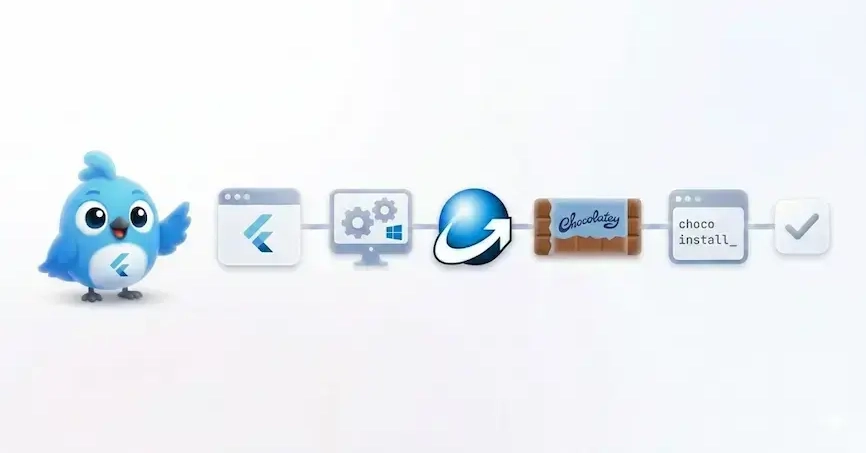
Spotube’s approach hinges on four core components:
- fastforge: The conductor, orchestrating the entire Flutter desktop packaging process.
- Inno Setup: The maestro, handling the installer engine itself, building those wizard-like experiences.
- InnoDependencyInstaller: The stagehand, ensuring all prerequisite runtime dependencies are installed without a hitch.
- Chocolatey: The grand distributor, pushing your polished application out to power users.
And it’s worth noting that while they also distribute via WinGet (a topic for another deep dive), this Inno Setup foundation serves as the universal translator, the common element that makes both distribution channels sing.
The Heart of the Matter: Inno Setup Scripts
The real magic, the nitty-gritty that makes this shine, lies within the Inno Setup script template. fastforge takes a templated Inno script, using Jinja-like tags, and dynamically fills in all the build-time details. This means your installer knows your app’s name, its publisher, its version, and even how to create a desktop icon.
All app files are copied into
{app}, with shortcuts created for Start Menu, Desktop, and Startup.
This level of control is transformative. It means consistency across releases and a professional look and feel that belies the underlying technical complexity. For those eager to dive deep into the arcane arts of InnoScript, the official documentation is your Rosetta Stone. And for those of us who live in VSCode, the InnoSetup VSCode extension is an absolute lifesaver, offering syntax highlighting and IntelliSense that makes wrestling with these scripts feel almost… enjoyable.
Bundling Dependencies Like a Pro
What truly elevates this beyond a basic installer is the handling of dependencies. Flutter Windows apps often require the VC++ 2015-2022 runtime. Trying to force users to manually install these is a recipe for frustration and abandoned downloads. InnoDependencyInstaller steps in, a benevolent guardian angel ensuring these prerequisites are met automatically during installation. It’s like a skilled concierge handling all the little details so the VIP (your user) has an utterly smooth experience.
The inclusion of Dependency_AddVC2015To2022 within the Inno Setup script is a simple yet profoundly effective way to ensure compatibility and reduce support headaches. No more “it doesn’t run!” tickets because a critical runtime was missing.
Publishing to the Masses: Chocolatey
Once the installer is crafted, the next hurdle is distribution. For power users and those who appreciate strong package management, Chocolatey is the go-to. Spotube’s pipeline smoothly generates a Chocolatey .nupkg file. This means your application can be installed, updated, and managed with simple command-line commands – a dream for sysadmins and CLI enthusiasts alike.
This isn’t just about slapping a file on a server. It’s about integrating into existing workflows, embracing the ecosystem that developers and advanced users already trust. It positions your Flutter desktop app not as a standalone novelty, but as a fully integrated, professional piece of software ready for prime time.
Why This Matters: The Platform Shift is Here
This entire process, from fastforge orchestrating the build to Inno Setup crafting the installer and Chocolatey handling distribution, signifies a fundamental platform shift for desktop development with Flutter. We’re moving beyond “it works on my machine” to “it installs and runs flawlessly for everyone.” It’s the difference between a hobby project and a polished, enterprise-ready application. The future of desktop apps, built with open-source tools and distributed with open-source package managers, is incredibly bright.
🧬 Related Insights
- Read more: How I Built SchemaWatch: A CLI Tool That Catches Breaking API Changes Before Production
- Read more: Open Source Observability Stack: Prometheus, Grafana, and OpenTelemetry Guide
Frequently Asked Questions
What does fastforge actually do?
fastforge is a tool that orchestrates the packaging of Flutter desktop applications, handling tasks like building the installer using templates and managing metadata.
Is Inno Setup free to use for commercial applications? Yes, Inno Setup is free to use for both personal and commercial purposes.
Will this process work for macOS or Linux Flutter apps? This specific process is tailored for Windows desktop applications. While Flutter supports macOS and Linux desktop development, the installer and packaging tools for those platforms will differ.